Mapliva: Life in places

Remember your trips.
See your life on a map.

Turn your iPhone photos into a personal travel journal. Check trip candidates, add the places and moments you remember, and create a record worth keeping.

Free photo-based trip candidates cover the last 90 days. You can add older places from memory.

0photo files uploaded for detection
0email or phone required
∞trips, stamps & entries
PT · '26 Lisbon
PT · '26 Porto
PT · '26 Sintra
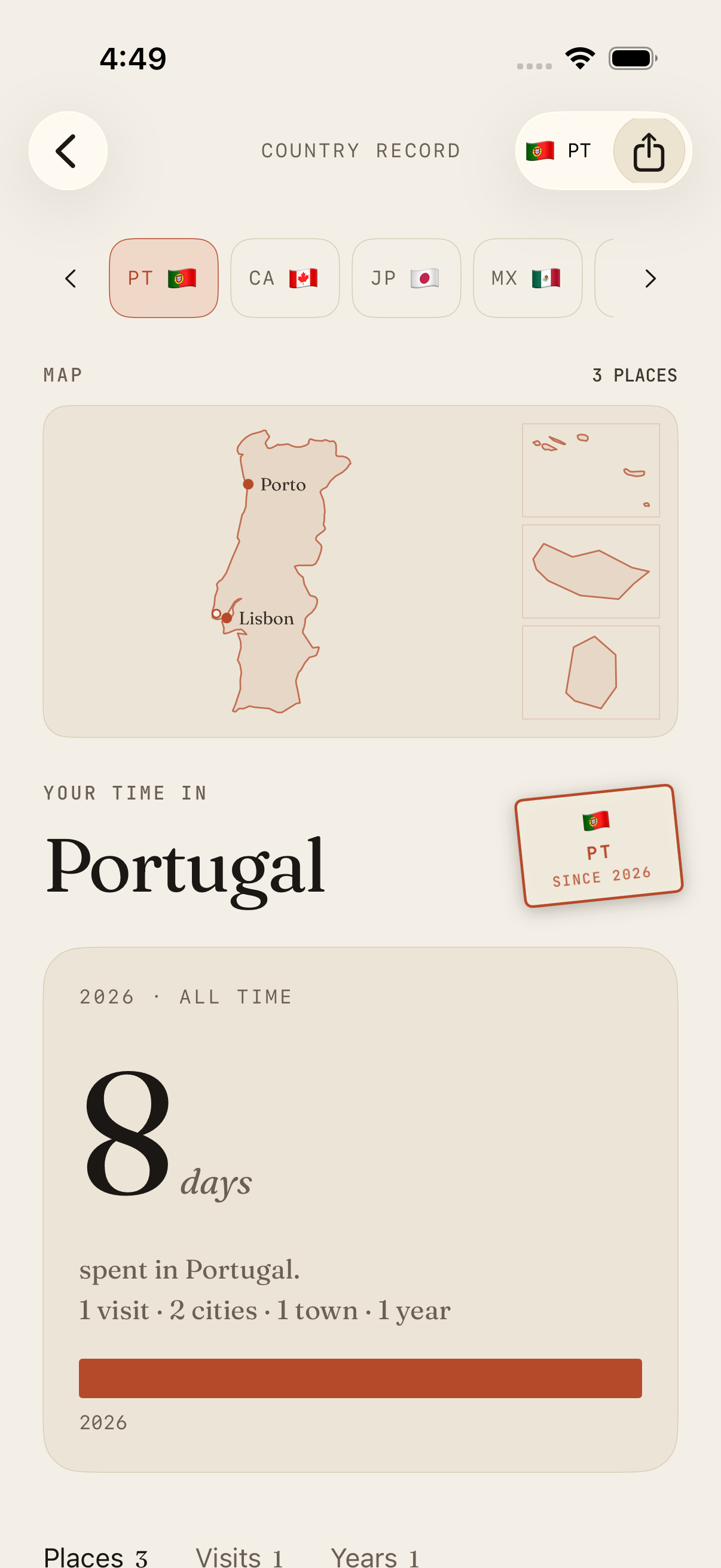
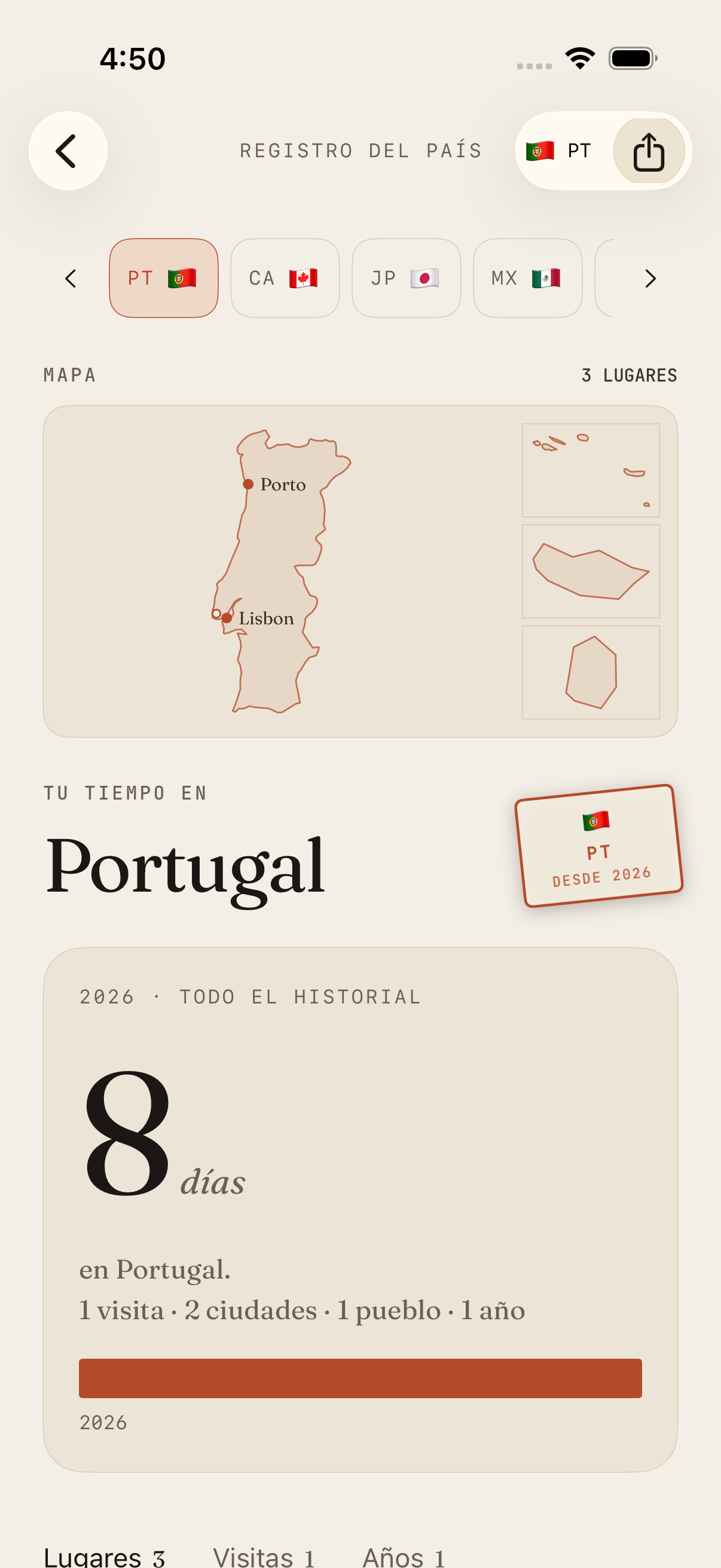
Mapliva country record for Portugal, with Lisbon and Porto on the map and 8 days spent

Real app · development build · fictional sample traveler

How a trip gets kept

From camera roll to a trip you keep.

Start with one trip you remember. Use your photos as a starting point, then make the record yours.

  1. Start with photos

    Choose an eligible recent date range in the app. Manual entry is always another way in.

  2. Check trip candidates

    Photo dates and locations help identify trip candidates. Check each one before creating a trip.

  3. Make it yours

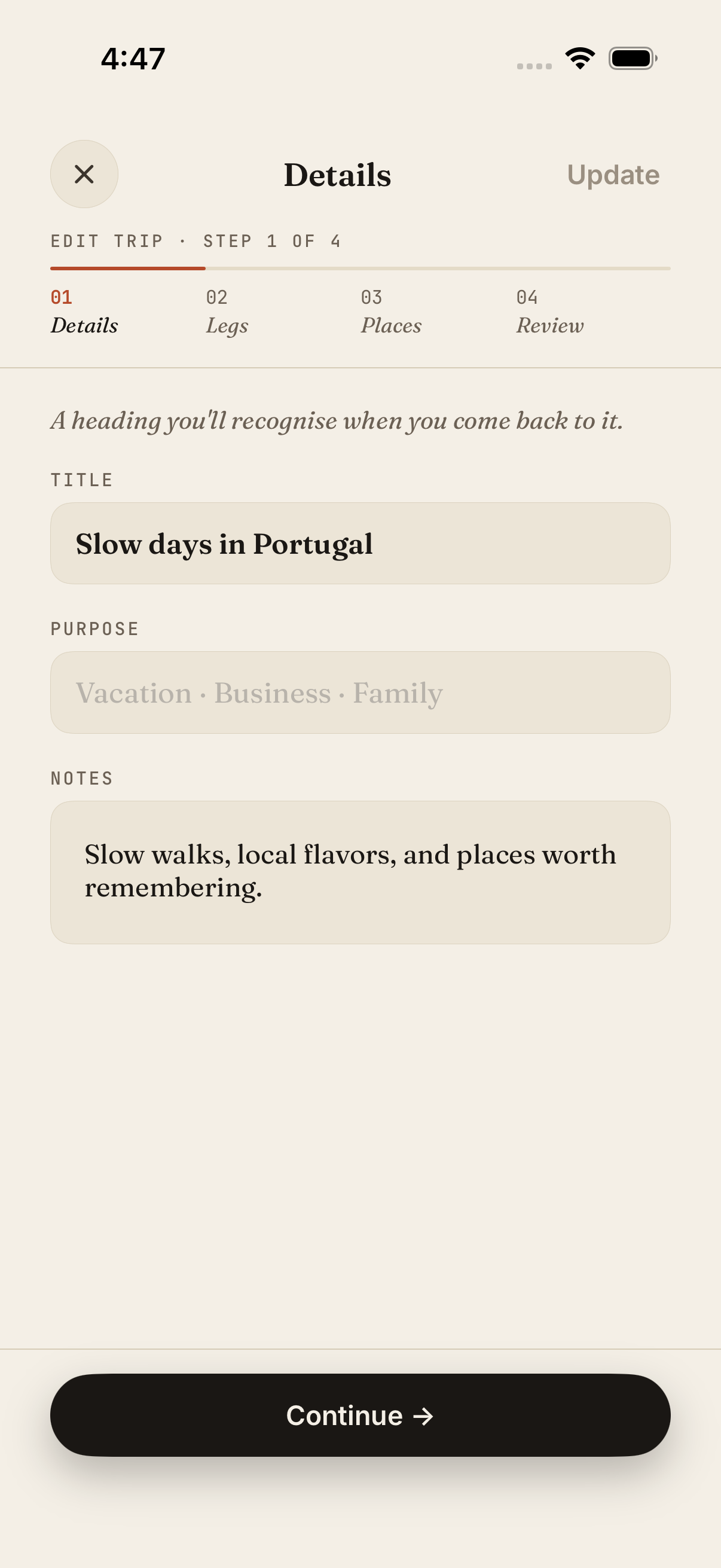
    Correct places and dates, save the trip, then open Edit to add an optional note in your own words.

    Mapliva Edit trip screen showing the optional notes field with fictional trip data
    Edit trip · optional notes · development build with sample data
  4. Keep the trip

    Open the saved record again in your journal and atlas.

  5. Choose what to share

    Preview an overview image and choose what to include before exporting.

The steps describe the app flow. The screen below shows fictional sample data; it is not a recording of a photo scan.

Read the photo-to-journal guide
From the app

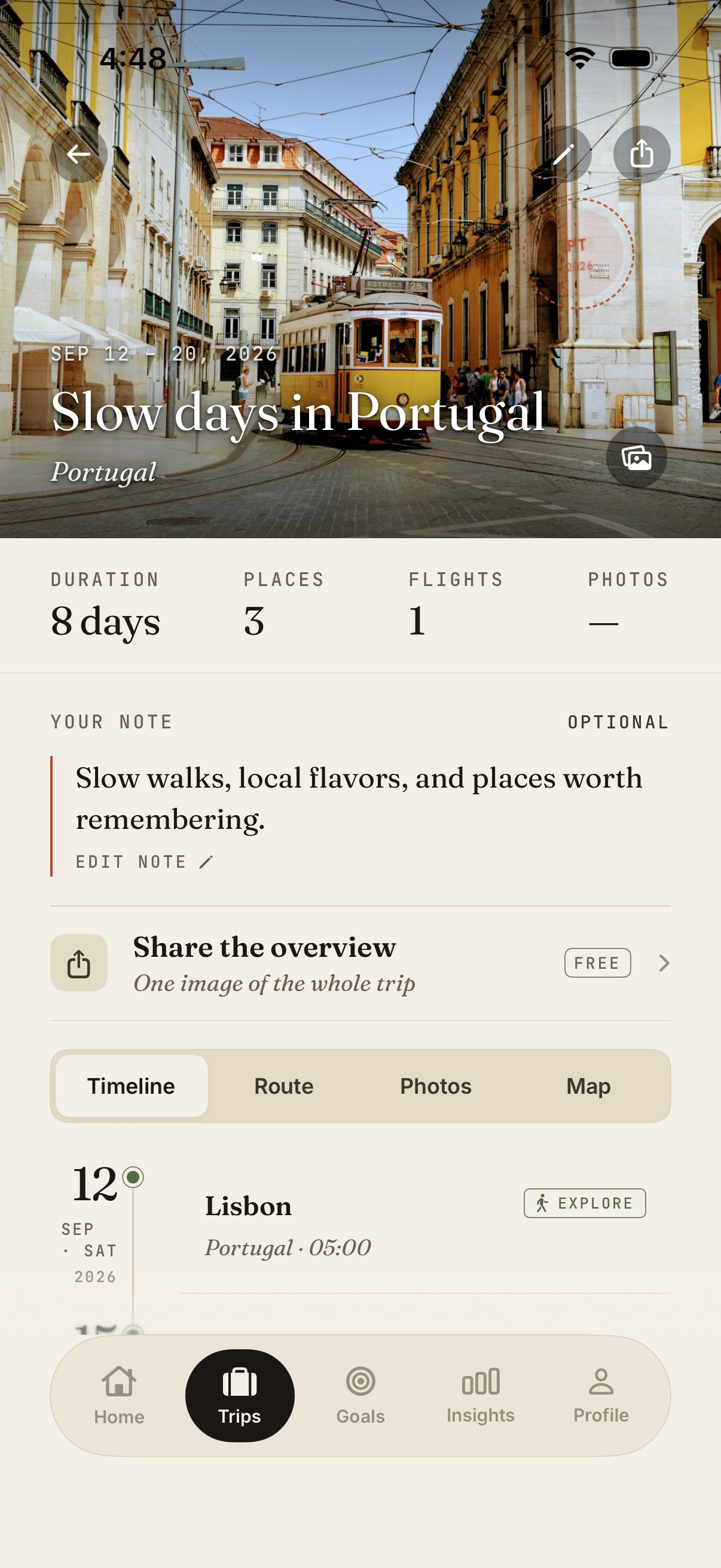
A saved trip, inside Mapliva.

Dates, places and the route, kept on one page. This is the app itself, filled with a sample trip.

Real Mapliva screen · development build · fictional Portugal trip.
— Try it now · no install

See your travels
on a map.

Choose from 56 featured cities across 41 countries and territories to explore a sample of your travel atlas. No installation required. Your selection is a browser demo; it does not transfer into the iPhone app.

Create your sample atlas
A. 56 cities across 6 continents
B. Map of every pin, country fills, full stats
C. Your city selections aren't saved
— LIVE DEMO
CDG
Paris
FranceFR
HND
Tokyo
JapanJP
JFK
New York
United StatesUS
LIS
Lisbon
PortugalPT
MEX
Mexico City
MexicoMX
CPT
Cape Town
South AfricaZA
SYD
Sydney
AustraliaAU
GIG
Rio
BrazilBR
0
Cities
0
Countries
0
Continents
0
KM span
— I. What you can do

Every place is part of your story.

Big trips and weekend getaways both count. Add your places in whichever way is easiest.

01

Tap where you’ve been.

Pick the cities and countries you remember. Exact dates can wait.
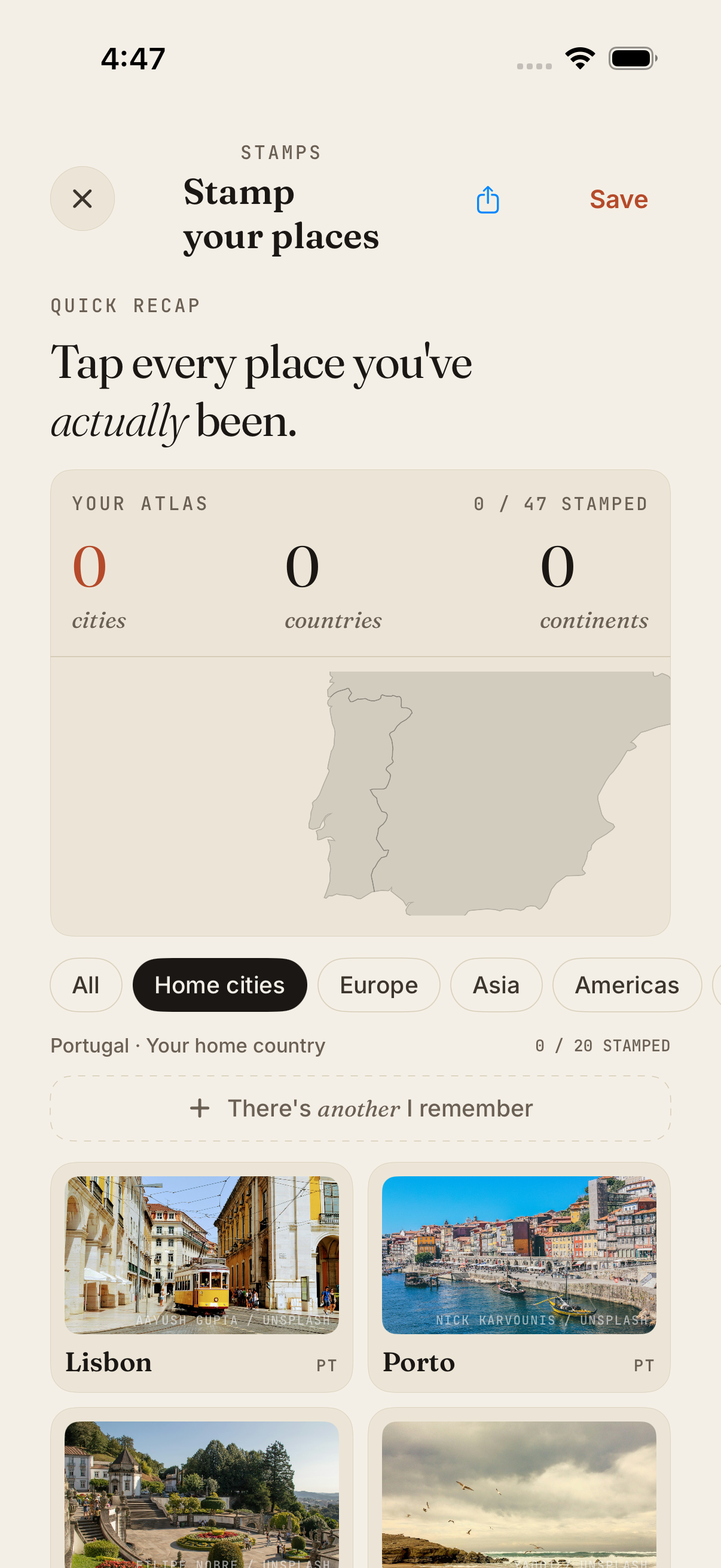
Mapliva Stamp your places screen with the Home cities filter and photo cards for Portugal
Tap to enlarge
02

Your photos already know.

Mapliva suggests trips from the dates and places in your recent photos. Check each one before saving. Photo files aren’t uploaded to do this.

Walk through a photo-to-trip example →
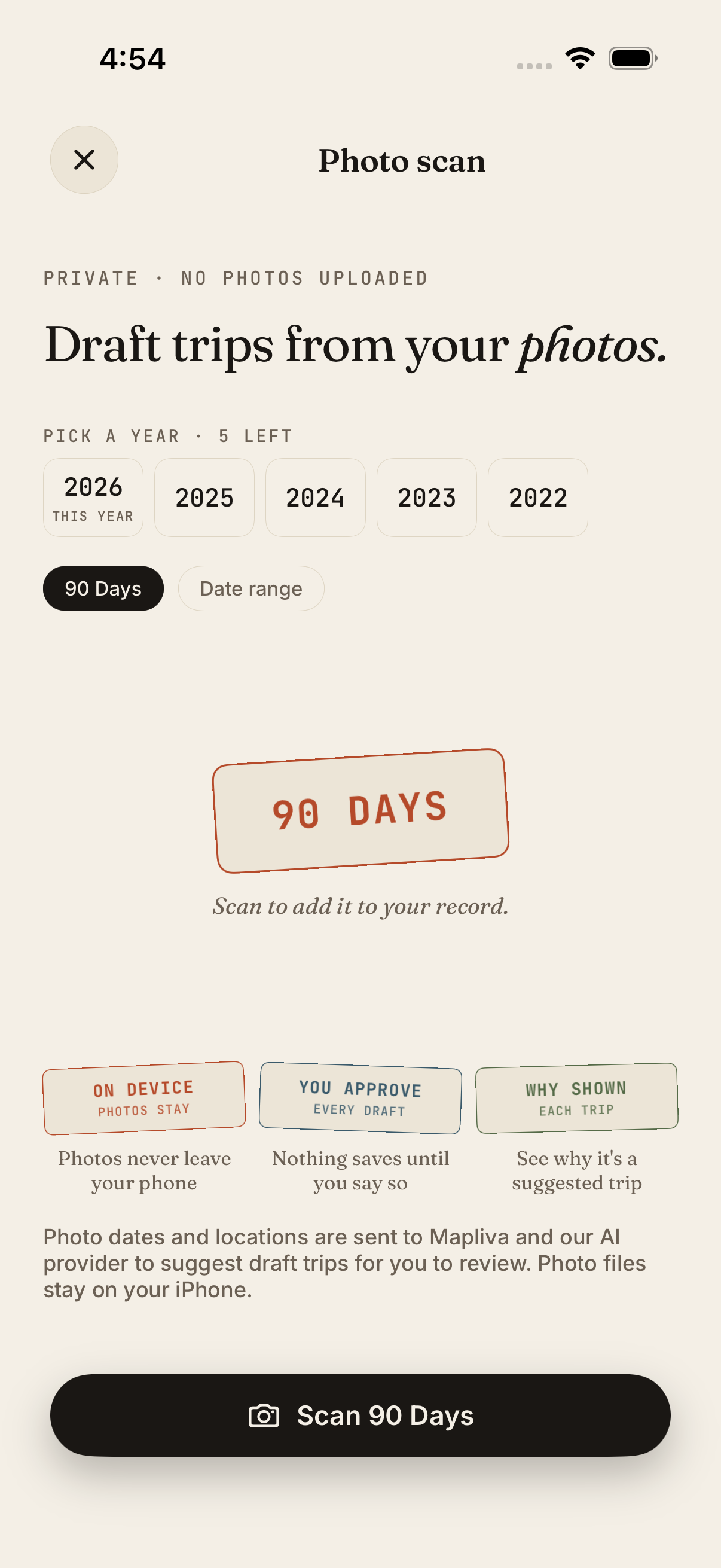
Mapliva photo-scan setup with the 90-day date range selected
Tap to enlarge
03

Watch your map grow.

Every place you add lands on your map, from towns close to home to countries far away.

Mapliva Country Record with a flat map of Portugal marking Porto and Lisbon, from a fictional travel history
Tap to enlarge

Real app screens · development build · sample data

BEHIND EVERY STAMP

Your time in each country.

Tap a country to see your days there, the cities you visited and your longest stay.

YOUR TRAVEL STYLE

New places or old favorites?

See whether you’re an Explorer, a Returner or Balanced, and why.

“

A weekend away.
A town you keep returning to.
A place that feels like you.
Your atlas starts here.

— Mapliva
Portugal · Your home country
CLOSE TO HOME

You don’t need a long list of countries to have a story worth keeping. Cities and towns you’ve visited in your own country belong on your map, too.

A STORY TO SHARE

Choose cards from a trip, your atlas, a country, or your milestones. Share images or an animated card video under a minute, sized for a post or story. Select your photos and personal details, then preview the result before sharing.

— II. The pages

A tour, in eight screens.

Real app screens · development build · fictional sample traveler.
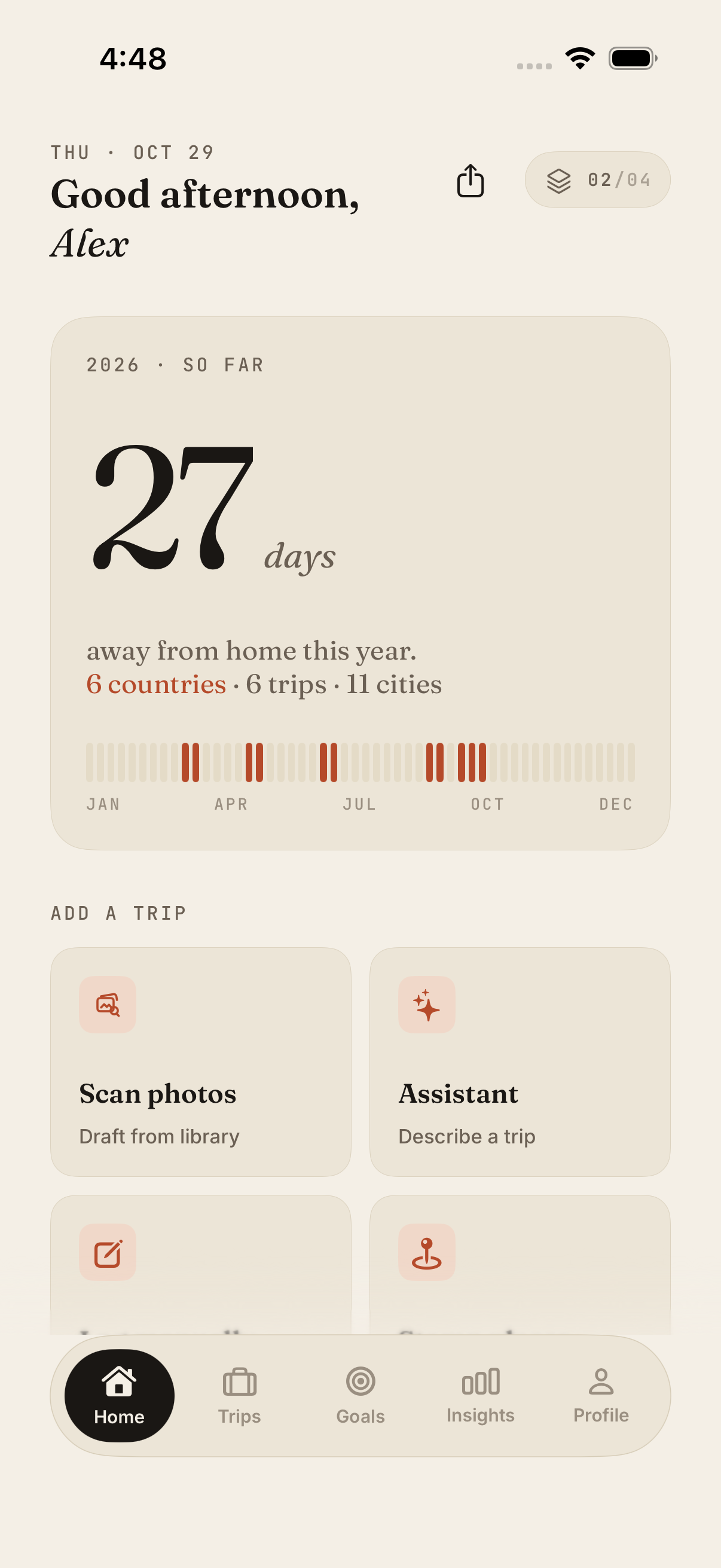
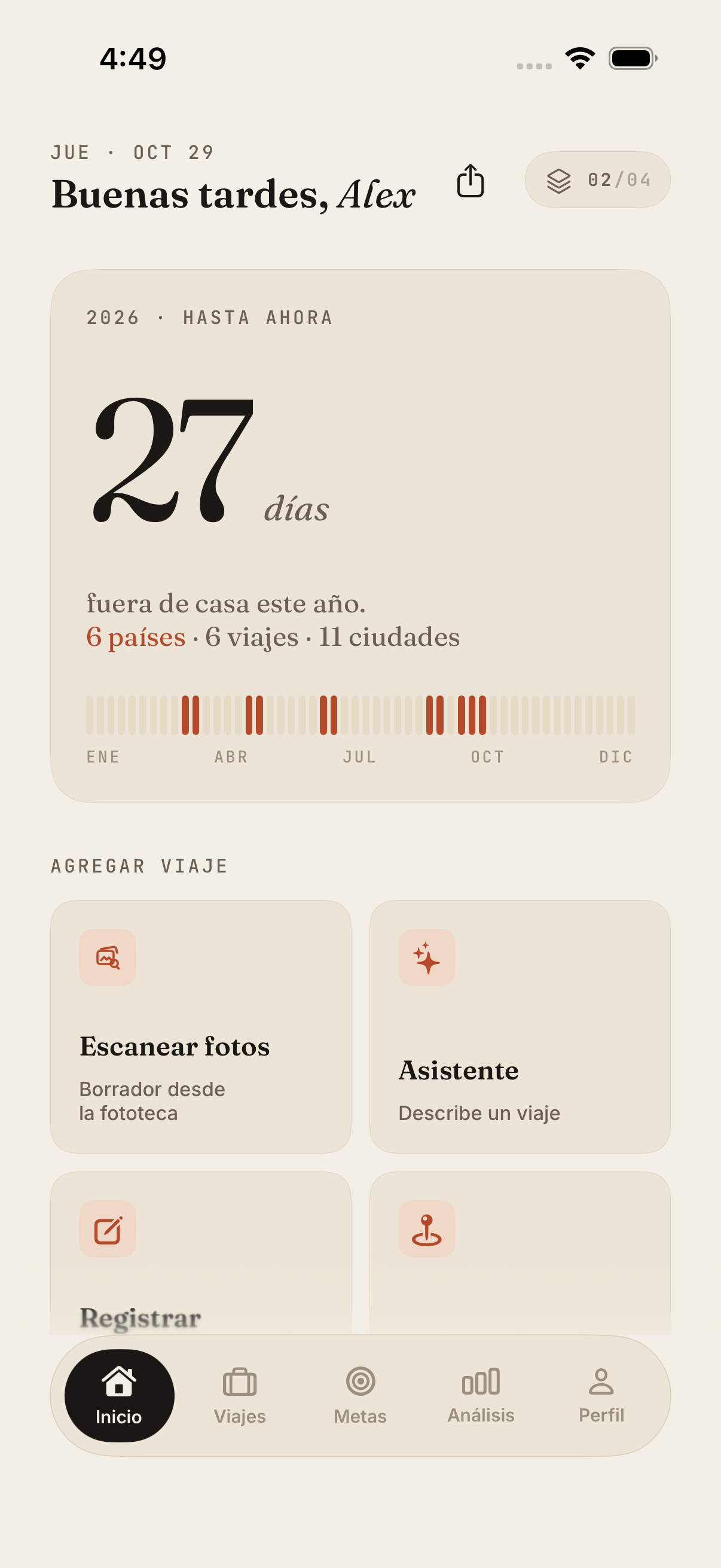
Home with year-to-date travel days and ways to add a trip
01Home — your year, at a glance.
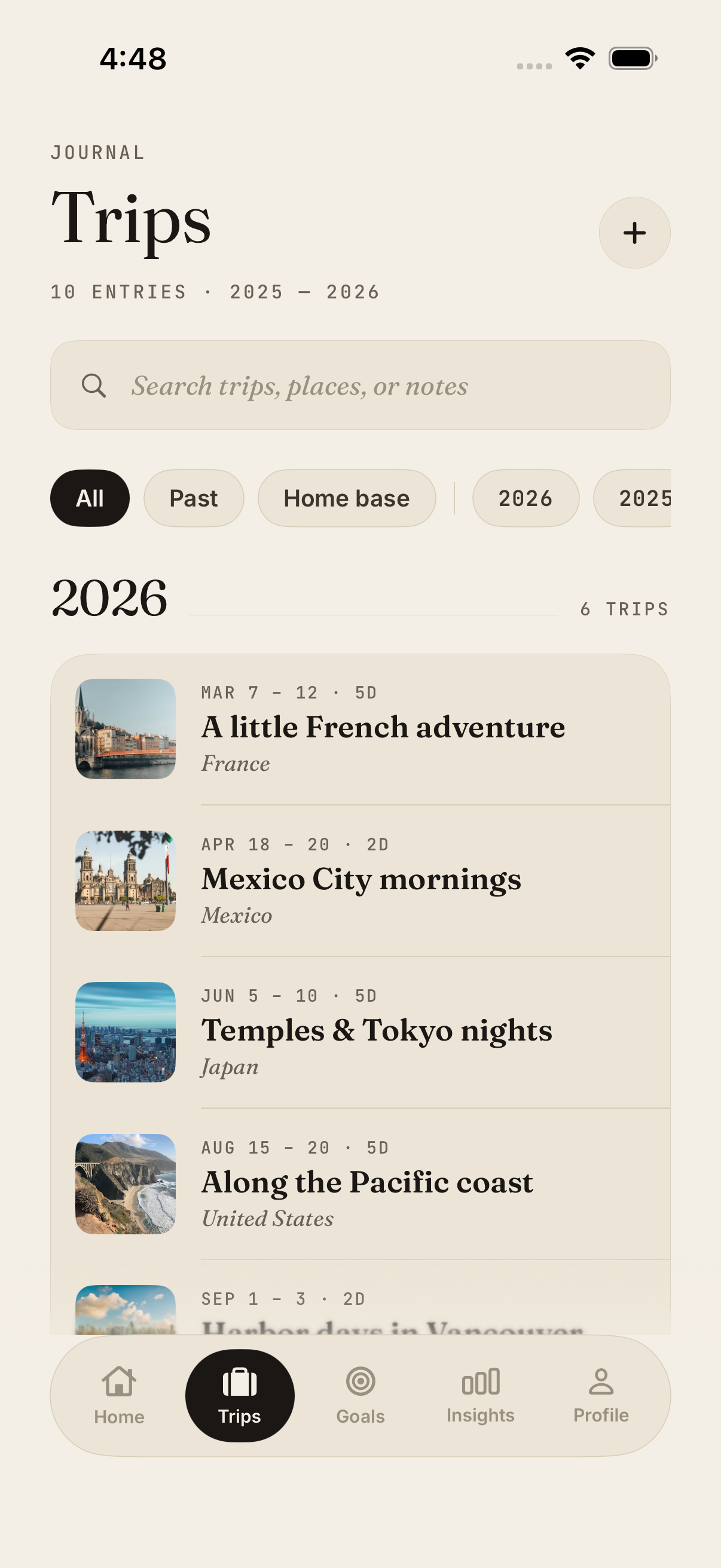
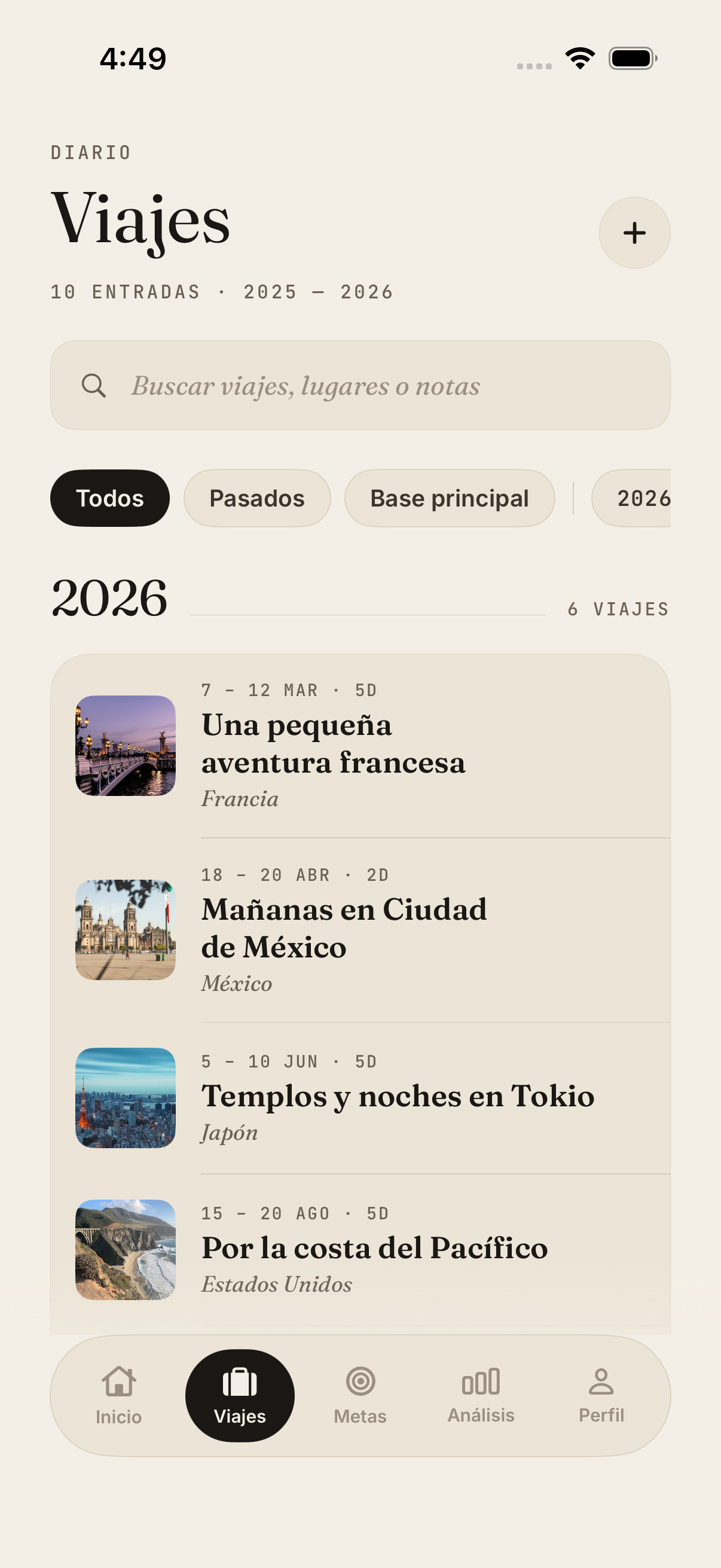
Trips list grouped by year, with search and filters
02Trips — every journey, by year.
A saved trip to Portugal with its timeline of stops
03Trip — your timeline, kept together.
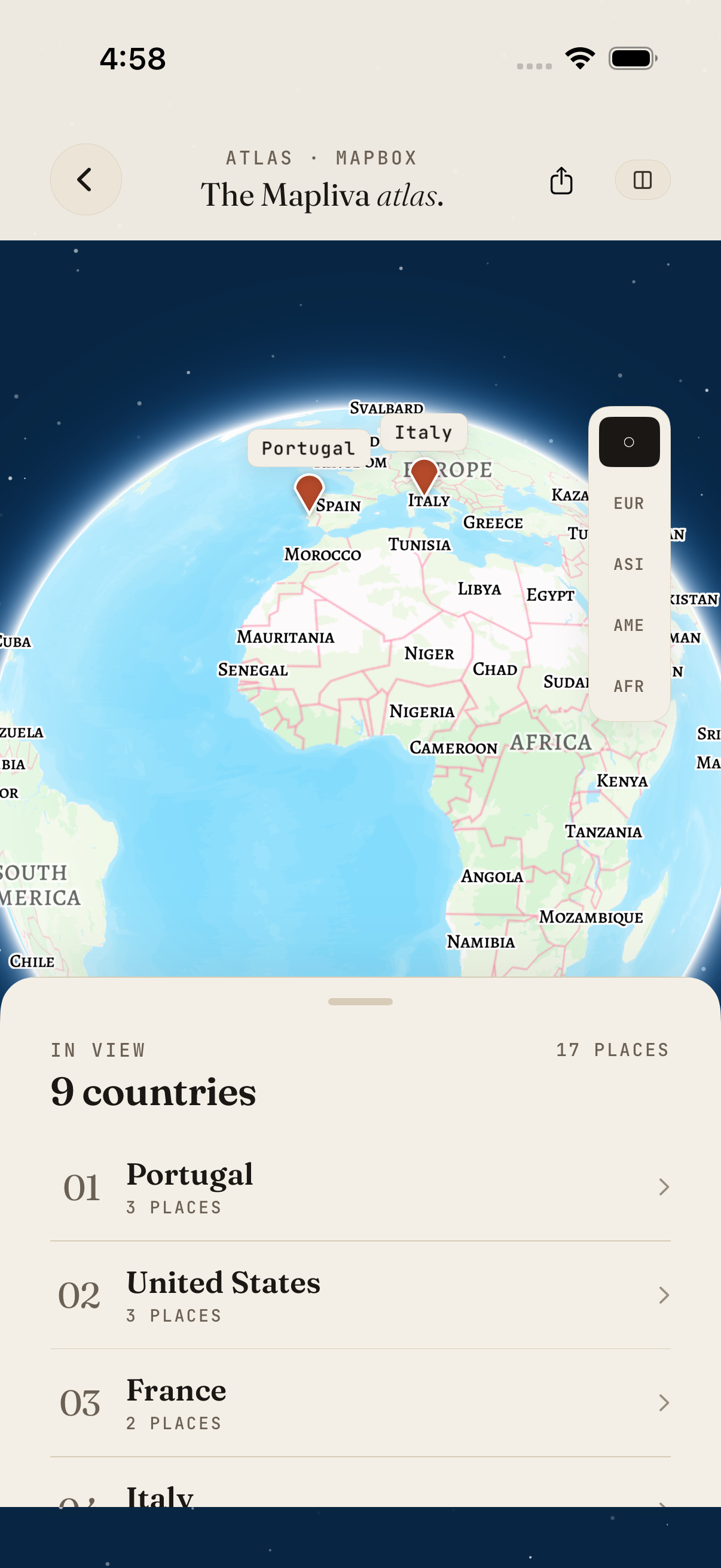
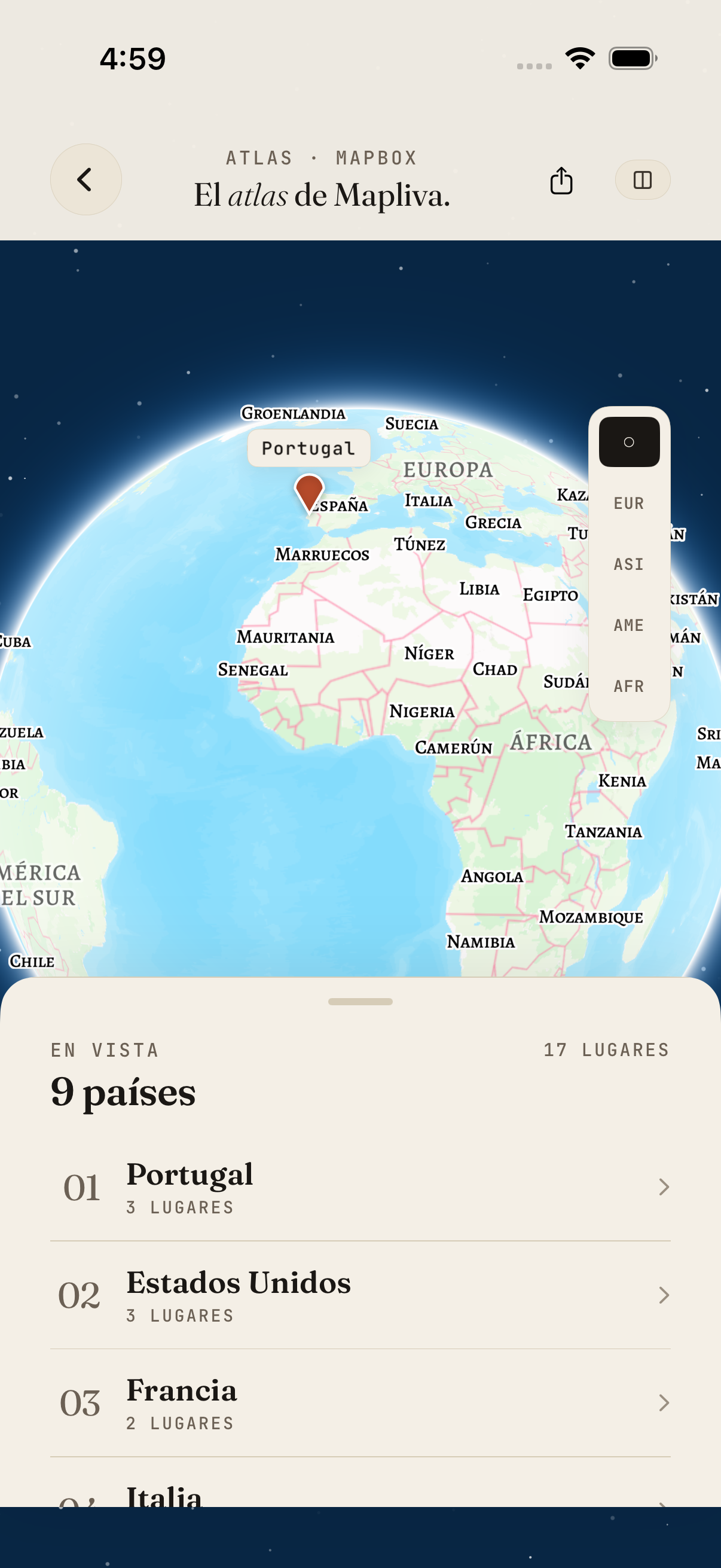
The Mapliva atlas globe with visited countries listed below
04Atlas — every country on one globe.
Country record for Portugal with a map, days spent and places
05Country record — your time there.
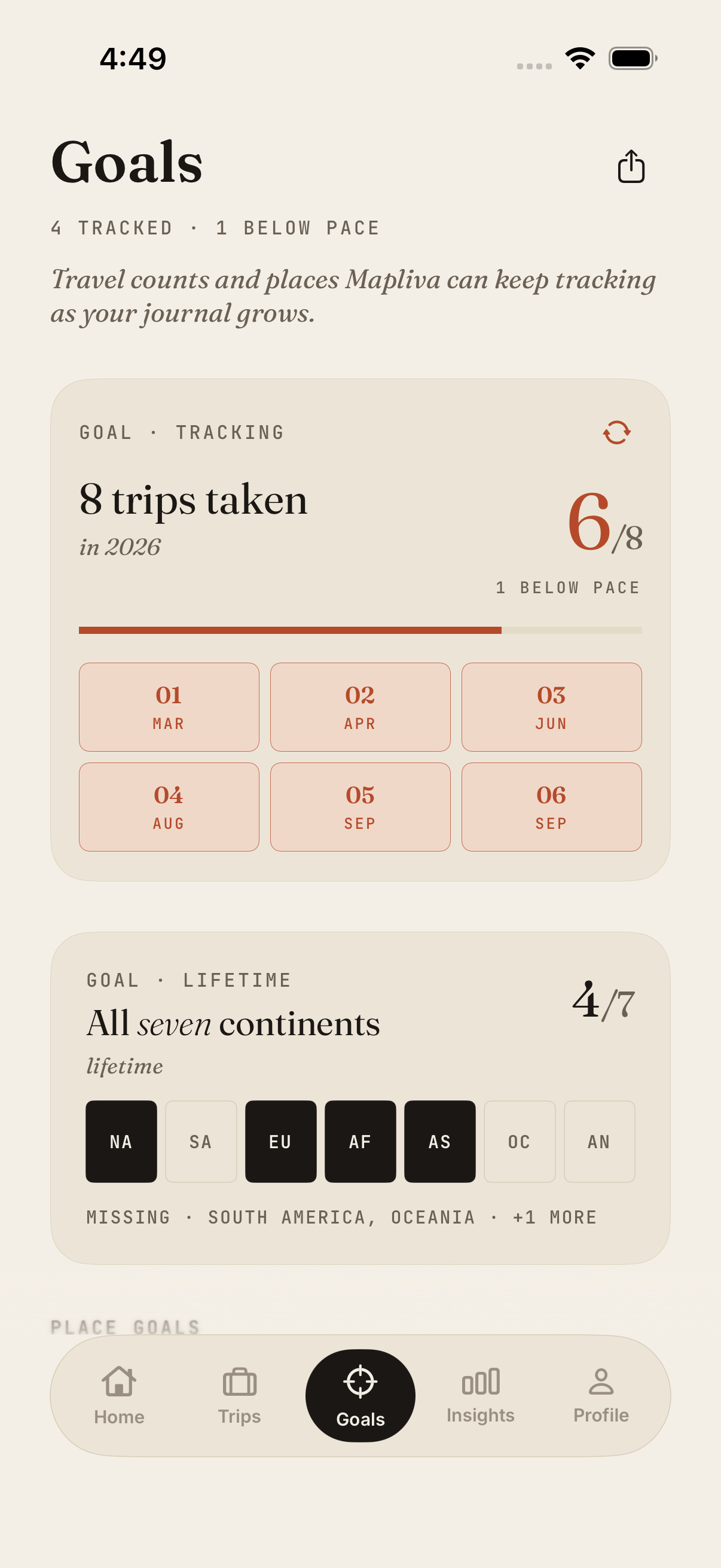
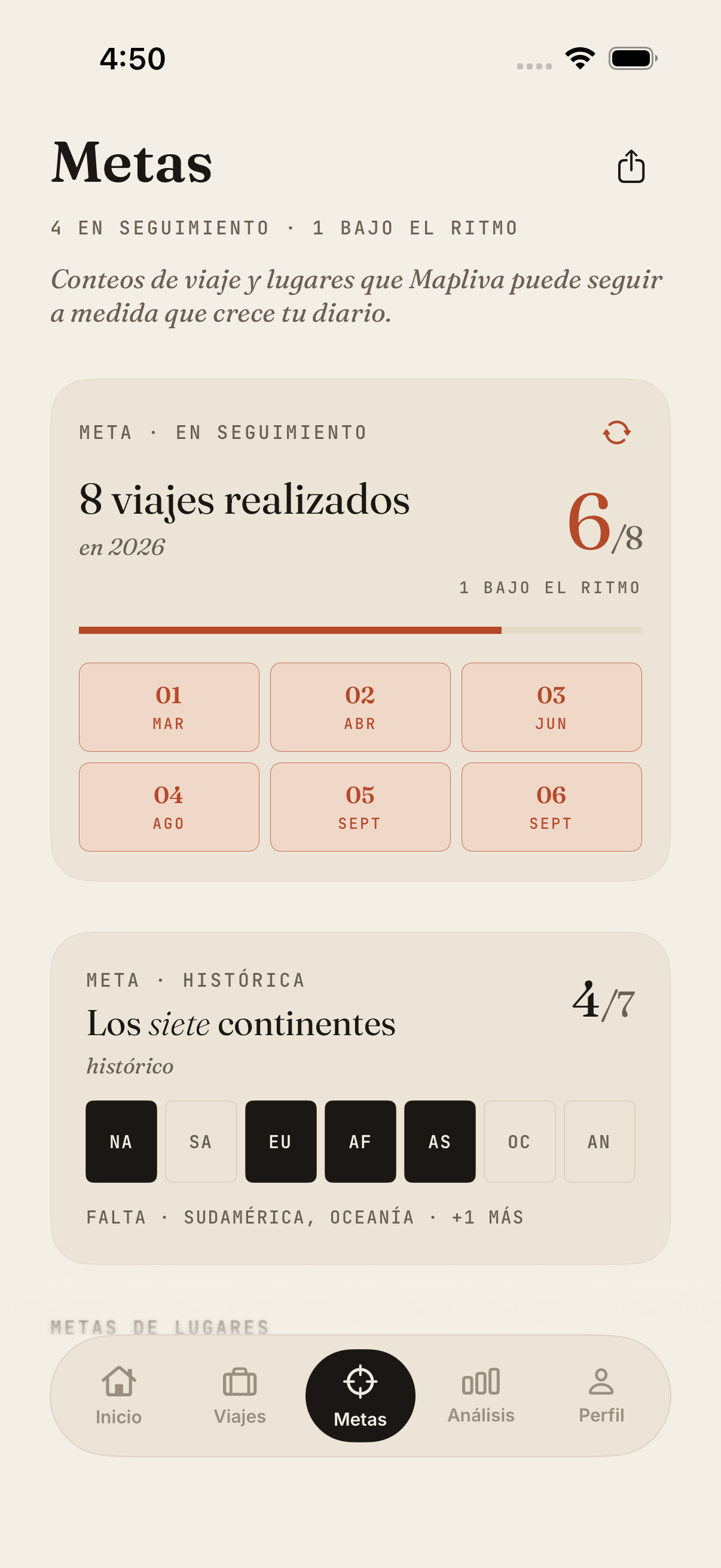
Goals showing travel milestones and current progress
06Goals — your next milestones.
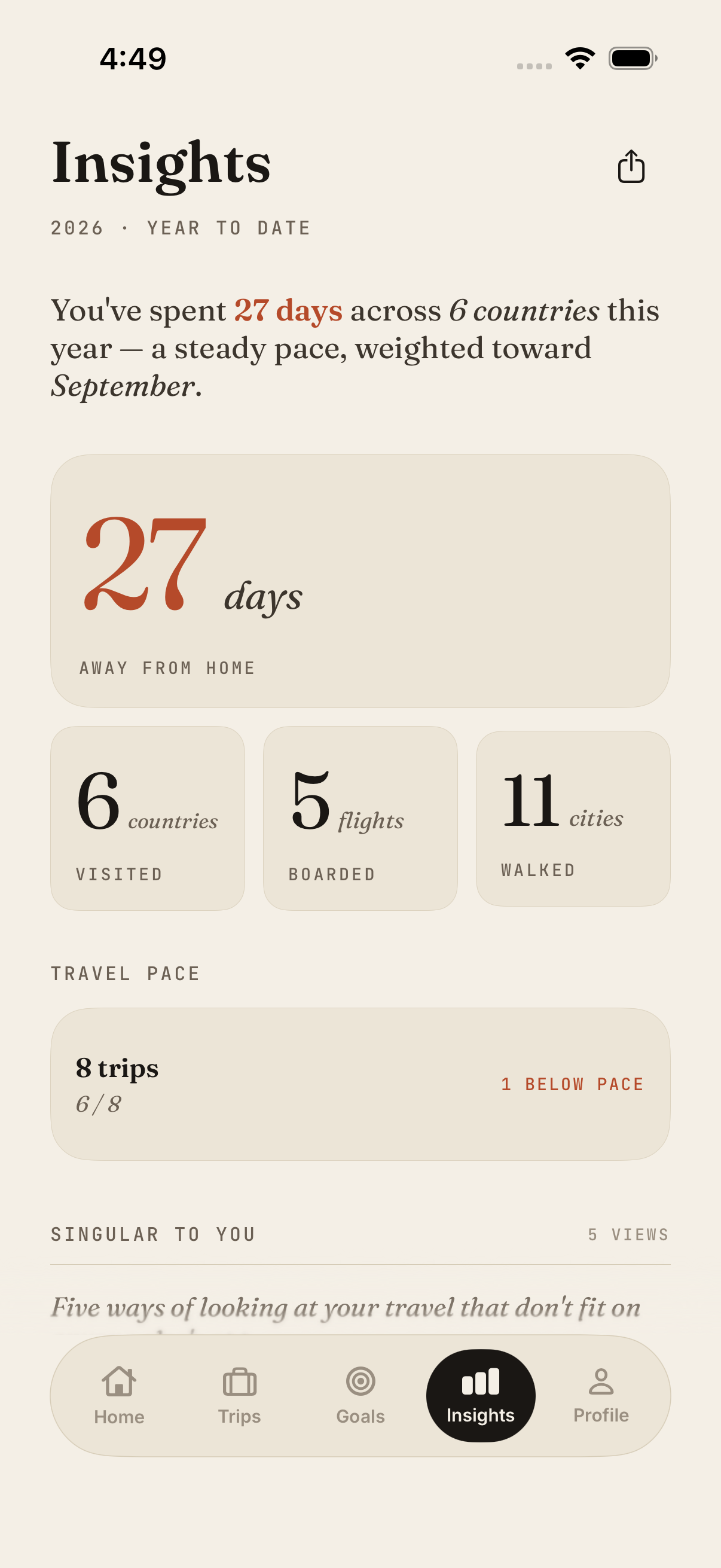
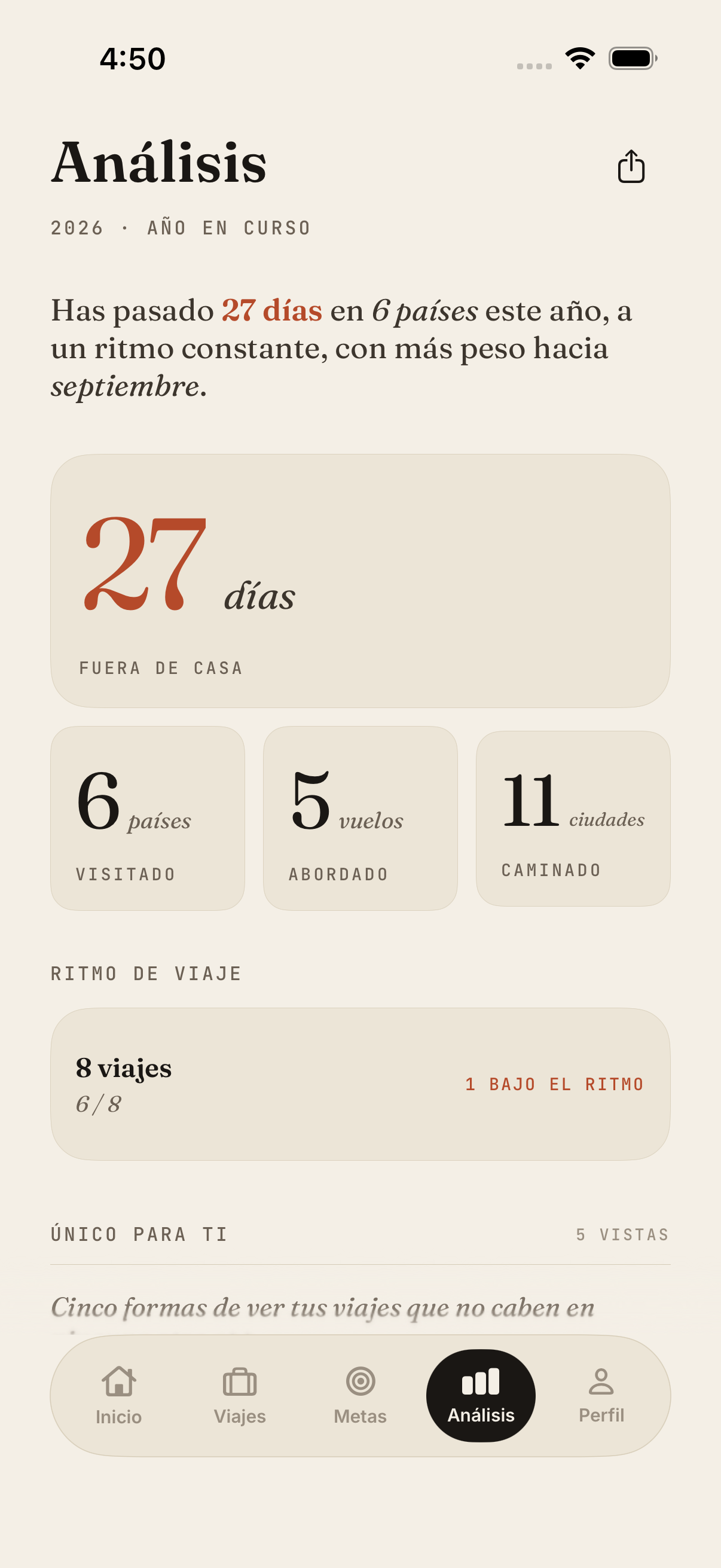
Insights with travel days, countries, flights, cities and trip-goal progress
07Insights — patterns only your travel has.
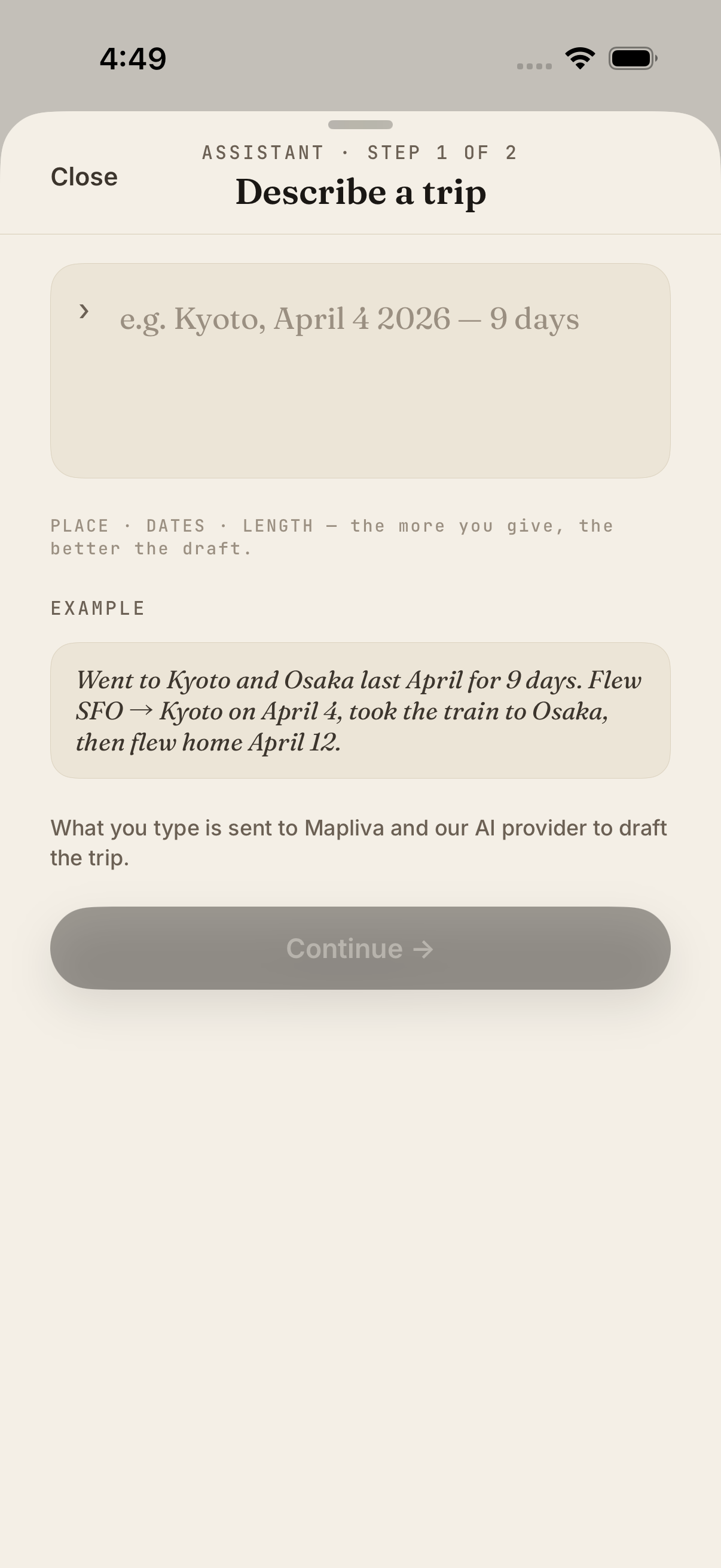
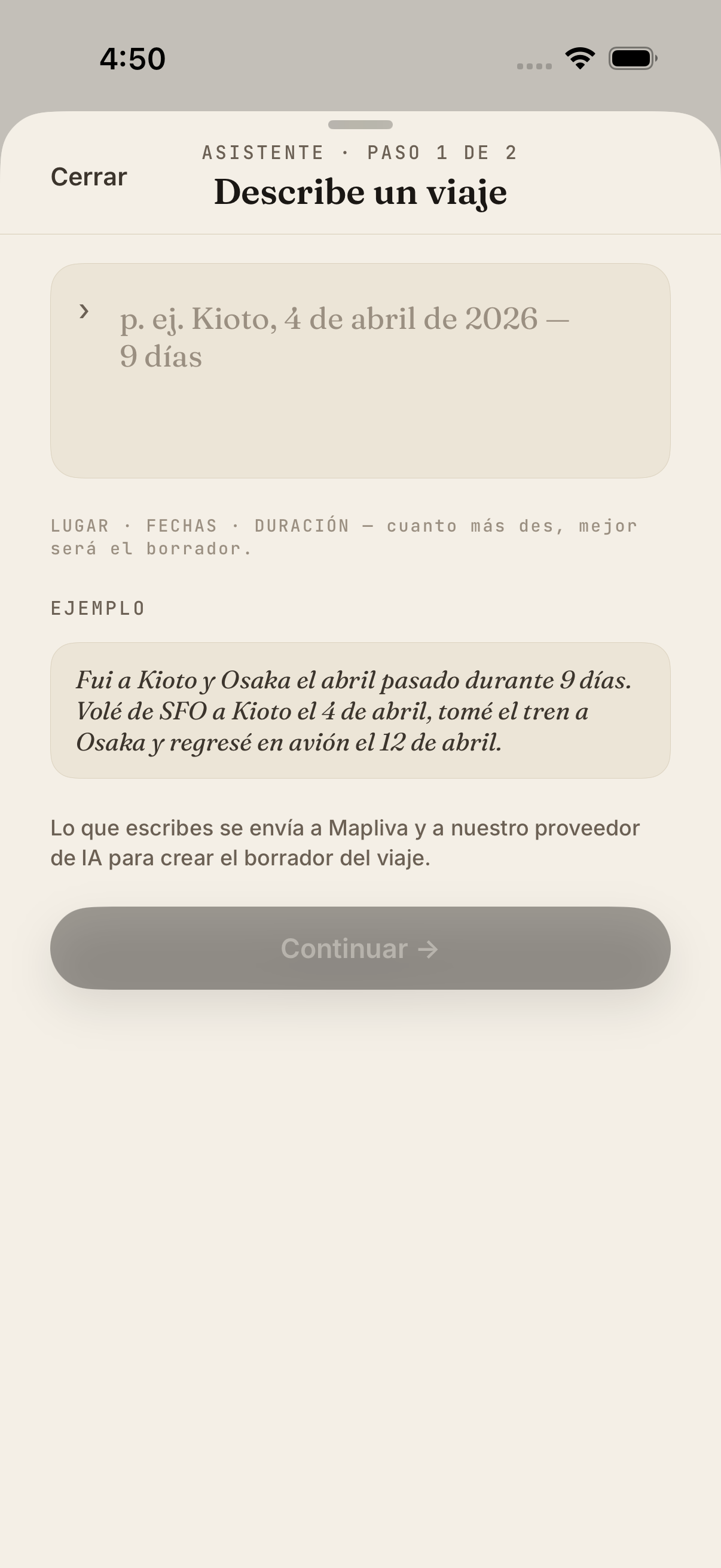
Assistant asking you to describe a trip in your own words
08Assistant — describe a trip in your words.
01 / 08

App screenshots show a fictional sample traveler. In-app maps © Mapbox © OpenStreetMap. · Website maps: Natural Earth. · City photo credits
· NO IMAGE UPLOAD ·
· PRIVATE · BY DESIGN ·
100%
YOURS
— III. The promise

Your photos stay private.
By design.

  • A. Photo files are not uploaded for trip detection. The scan reads your library on your iPhone; the online AI flow uses structured dates and coordinates to suggest trips.
  • B. Approved trips can sync privately to your account so they survive a new phone.
  • C. No email or phone required to start. No public profile or friend graph.
  • D. No ads, no public profile, and no background GPS trail required.
Read our full privacy paper
— IV. Planned editions

A free core, with optional extras planned.

Edition A
Traveller
Free
  • Unlimited trips, stamps, journal entries and goals
  • Photo-based trip candidates for the last 90 days, without uploading images
  • City and world atlases, insights, and overview image sharing
  • Free registration and record sync, plus CSV and JSON export
Try Mapliva for iPhone

Free beta · via TestFlight

TestFlight purchases use Apple’s sandbox and do not charge real money. These editions and US prices describe the planned commercial offer; access restrictions may vary during beta testing. Saved trips stay editable. Pricing summary.

— V. The team

A team of one,
a long way from home.

Mapliva started in seat 1A of an SFO redeye in 2023, scrolling through five years of camera roll and realising that everywhere I had ever been was already in there — just buried, unsorted, slowly forgetting itself.

It's still a team of one. I write the code, design the stamps, answer the email, and ship the app when it's ready instead of when a roadmap says so. Travel deserves software that remembers the way you do: slowly, in fragments, with the smell of the place still in it.

No investors, no growth team, no dark patterns — just a long, quiet bet that good craft still finds its audience. If any of that resonates, I'd love to hear where you've been lately.

— VI. Marginalia

Things we get asked.

01 Does Mapliva work without the internet? +
Reading the photo library and reviewing your local atlas can work offline. AI trip suggestions, account sync, and other cloud features require a connection.
02 Will it find old trips from years ago? +
Free photo-based suggestions cover the last 90 days, measured when you scan. Missing dates or locations can leave gaps. You can add older places from memory without that photo-history limit. Longer photo history depends on Voyager access.
03 Is there an Android version? +
Not yet. The current beta is iPhone-only while we focus on getting the private photo-to-journal flow right on one platform.
04 Is Voyager available in the beta? +
Voyager may be enabled for testing, so you can try it before launch. TestFlight purchases use Apple’s sandbox and never charge real money. Prices shown here are planned for the commercial release.
05 Can I share my atlas with someone? +
Choose cards from your atlas, trips, country records, stamps, goals or insights. Share images in post (4:5) or story (9:16) format, or an animated card video up to 59 seconds long. Name, exact dates, home and notes start excluded; cities start visible. Select any photos yourself and review the preview before sharing. Country flyover videos are also available for supported routes.
06 What if I’ve only travelled in my own country? +
That’s a great place to start. Set your home country and stamp cities and towns you’ve visited. When all your recorded travel is in that country, Home and Profile focus on cities and Atlas opens on your local places. You can switch stamp suggestions to the world selection or search for another city whenever you like.
Mapliva app icon
— Private beta

Help shape your
future atlas.

Mapliva is open for iPhone beta testers. Install it from TestFlight and tell us what you want your travel journal to remember.